
What You Can Do with an SNS Account
Once you create an SNS account, you'll be able to do the following:
- Create a chat room
- Search for friends and users (searching by display name only works if the other person has search visibility enabled)
- Search for chat rooms
- Join a chat room
- Receive pooled earnings to your wallet
This article covers "creating a chat room".
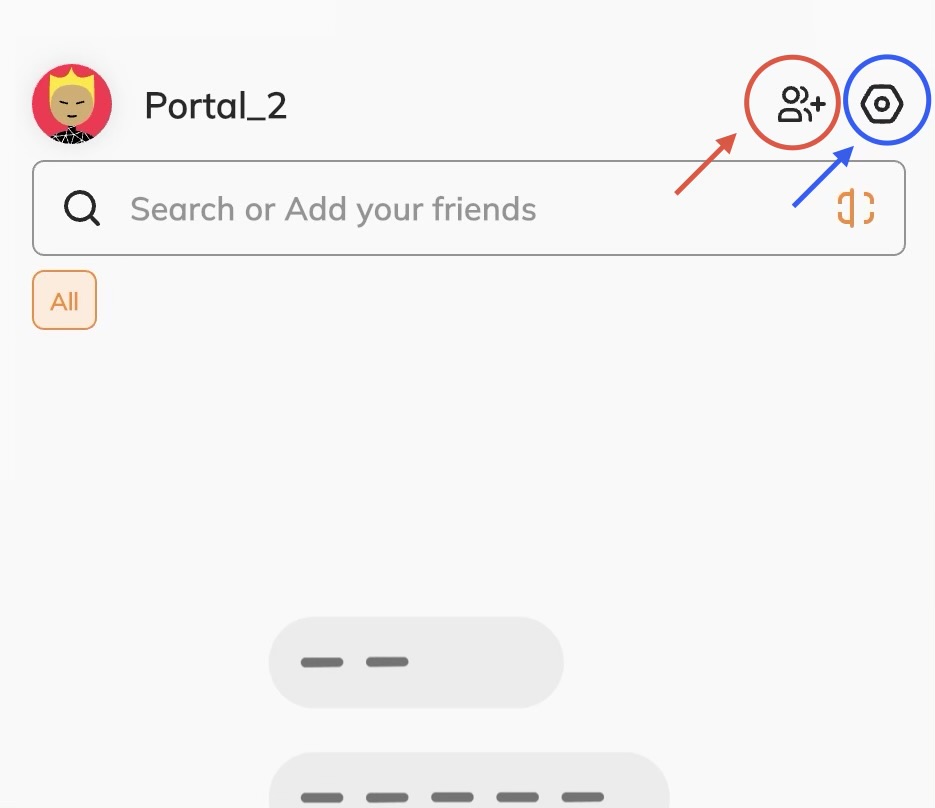
You can create a chat room from the red circle at the top of the SNS screen.
(The blue circle on the right is your SNS account settings.)
Types of Chat Rooms
There are two main types of chat rooms.
| Type | Capacity | Features |
|---|---|---|
| Party Chat | Up to 5,000 people | A feature-rich room for large groups |
| Group Chat | Up to 10 people | Supports E2E (end-to-end) encryption mode |
Here, we'll take a closer look at each feature of the feature-rich "Party Chat."
Party Chat Modes
For Party Chat, you (the admin) choose "what kind of room you want" from a set of presets at creation time.
Standard Mode
The most basic type of room. No admin approval is needed to join, and anyone can freely enter, leave, and chat.
Members-Only Mode
Admin approval is required to join. Once approved, members can chat freely.
Audience Mode
Only the admin can post messages in this room. It's well-suited for one-way announcements or sales from the admin.
Subscription Mode
The admin sets a duration — 30 days, 180 days, 360 days, or unlimited — and only users who have paid the subscription fee in advance can join. Once a member's subscription period ends, they're automatically removed from the party after a grace period.
In addition to these four modes, a Custom Mode is also available, letting you combine conditions in more detail.
Custom Mode
Unlike the other four modes, Custom Mode is the only one where you can freely change the settings after creation.
You can individually turn the following settings on or off:
- Whether admin approval is required for members to join
- Audience setting (whether posting is restricted to the admin only)
- Subscription setting (whether paid entry is required)
Summary
| Mode | Who Can Join | Who Can Post | Editable After Creation |
|---|---|---|---|
| Standard | Anyone, freely | Everyone | No |
| Members-Only | Admin approval required | Everyone | No |
| Audience | Anyone, freely (view only) | Admin only | No |
| Subscription | Paid entry | Admin only | No |
| Custom | Configured per setting | Configured per setting | Yes |
Learn how to collect your earnings from Pay to Open sales and Subscription mode in the following articles:Sell Content as a One-Time Purchase "Pay To Open" / Setting Up a Subscription