
Avacus officially released the "Gas Sponsor" feature in v8.1.0.
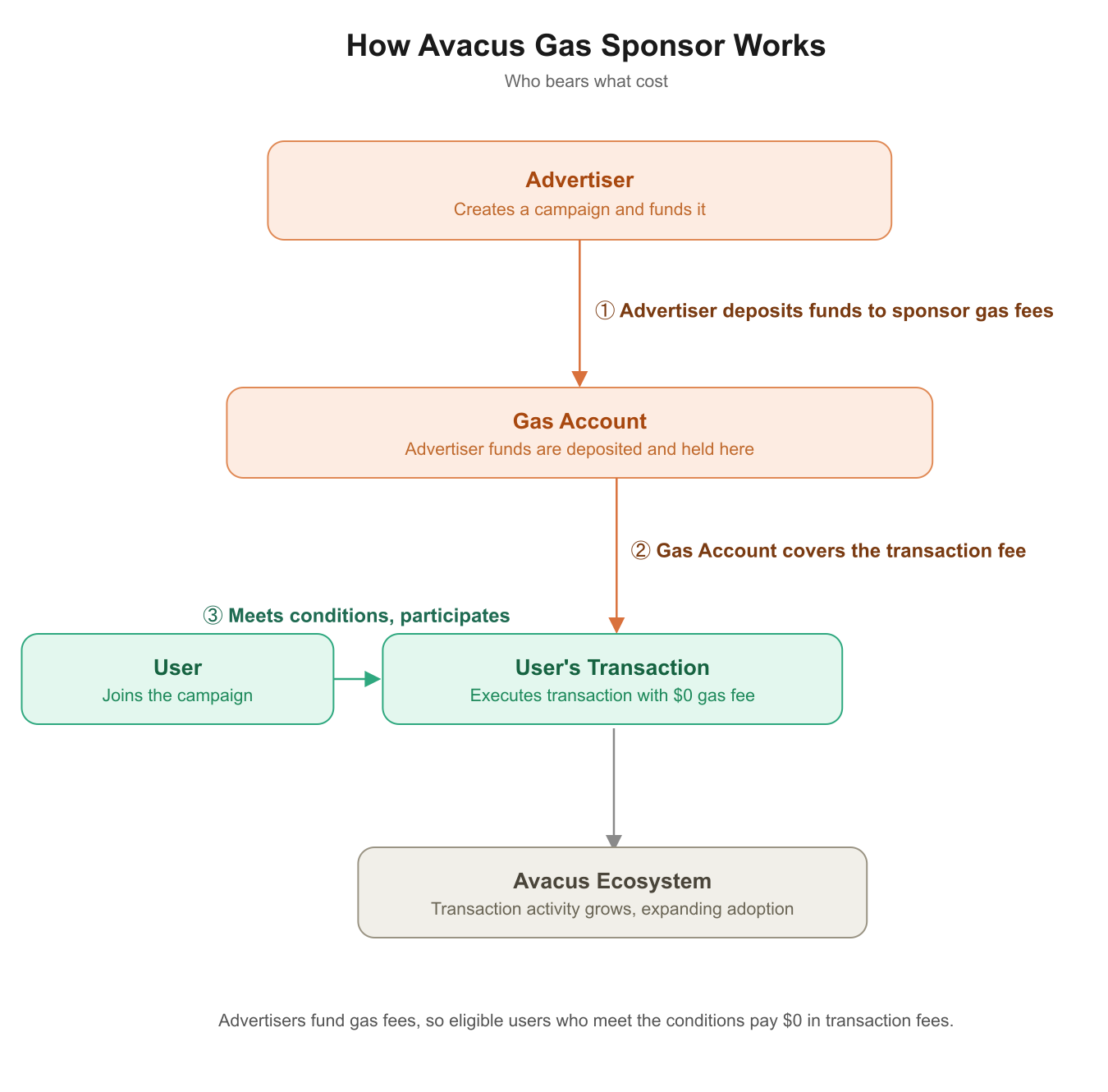
Gas Sponsor is a new Web3 advertising feature that lets advertisers cover gas fees (transaction costs) on behalf of Avacus users.
Unlike traditional one-way banner ads, it creates a mechanism with mutual benefits for both sides:
- Users: Receive gas fee support by watching an ad
- Advertisers: Can reach active blockchain users directly
For more details, see the official Avacus website: Gas Sponsor — A New Way for Advertisers to Reach Web3 Users
How Gas Sponsor Works
The User Experience
The ad format used in this flow has an official name: Confirming Ads. These are ads that appear directly within the transaction confirmation flow, letting advertisers reach active Web3 users during real on-chain interactions — rather than through a traditional banner.
For example, if a user sends JPYC on the Ethereum network, the experience unfolds as follows:
- The user attempts to execute a targeted transaction (e.g., sending JPYC).
- A Confirming Ad appears within the transaction confirmation flow, offering the user a fee-free transaction in exchange for watching an ad.
- The user watches the ad (the display duration is set by the advertiser).
- Once the ad is completed, the transaction is confirmed with the gas fee sponsored — the user pays $0 in transaction fees.
Conditions Advertisers Can Set
Advertisers can finely configure which transactions to target for each campaign. For example, they can target users who performed a JPYC transfer on the Ethereum network specifically.
Required conditions
- Interaction with a specified contract
- A specific method (the contract call being made)
Optional conditions (these can be skipped and left at their default settings)
- Only target transactions above a certain amount
- Only target whitelisted wallet addresses
Benefits
| Who | Benefit |
|---|---|
| Users | Reduced gas fee burden, lowering the psychological barrier to transacting in Web3 |
| Advertisers | High visibility and engagement with genuinely active blockchain users |
| The ecosystem as a whole | Increased transaction activity, driving greater usage across the Avacus ecosystem |
How to Create a Gas Sponsor Campaign (Overview)
Gas Sponsor campaigns can be created at gas.avacus.cc.
Before the step-by-step overview, it's worth clarifying two terms that are easy to conflate:
- Policy — the configuration that defines which transactions get sponsored: the target contract, method, optional conditions (amount, whitelist), and usage limits.
- Campaign — the complete package a user actually sees and interacts with. It's made up of one or more Policies plus the ad creative (banner, logo, category) shown as a Confirming Ad.
In other words, a Policy is a building block within a Campaign — the two terms aren't interchangeable.
| STEP | Action |
|---|---|
| 1 | Connect a wallet with Avacus SNS enabled |
| 2 | Deposit funds (tokens) into your gas account via "Charge" |
| 3 | Create a new Policy via "New Policy" — this defines the sponsorship rules for this part of your campaign |
| 4 | Set the target network and contract address |
| 5 | Select the method(s) to sponsor |
| 6 | Set parameter conditions such as amount limits or a whitelist (optional) |
| 7 | Set usage limits, such as Global limit / Policy limit / User limit (optional) |
| 8 | Set a banner, logo, and category to create your Confirming Ad via "Create New Ads" — this, together with your Policy, completes the campaign |
| 9 | Once reviewed and approved, the campaign starts automatically |
| 10 | From then on, you can monitor, manage, and update it from the "Policy Management" page |
For detailed screen operations and settings for each step, see the official Avacus website: How to Use Gas Sponsor